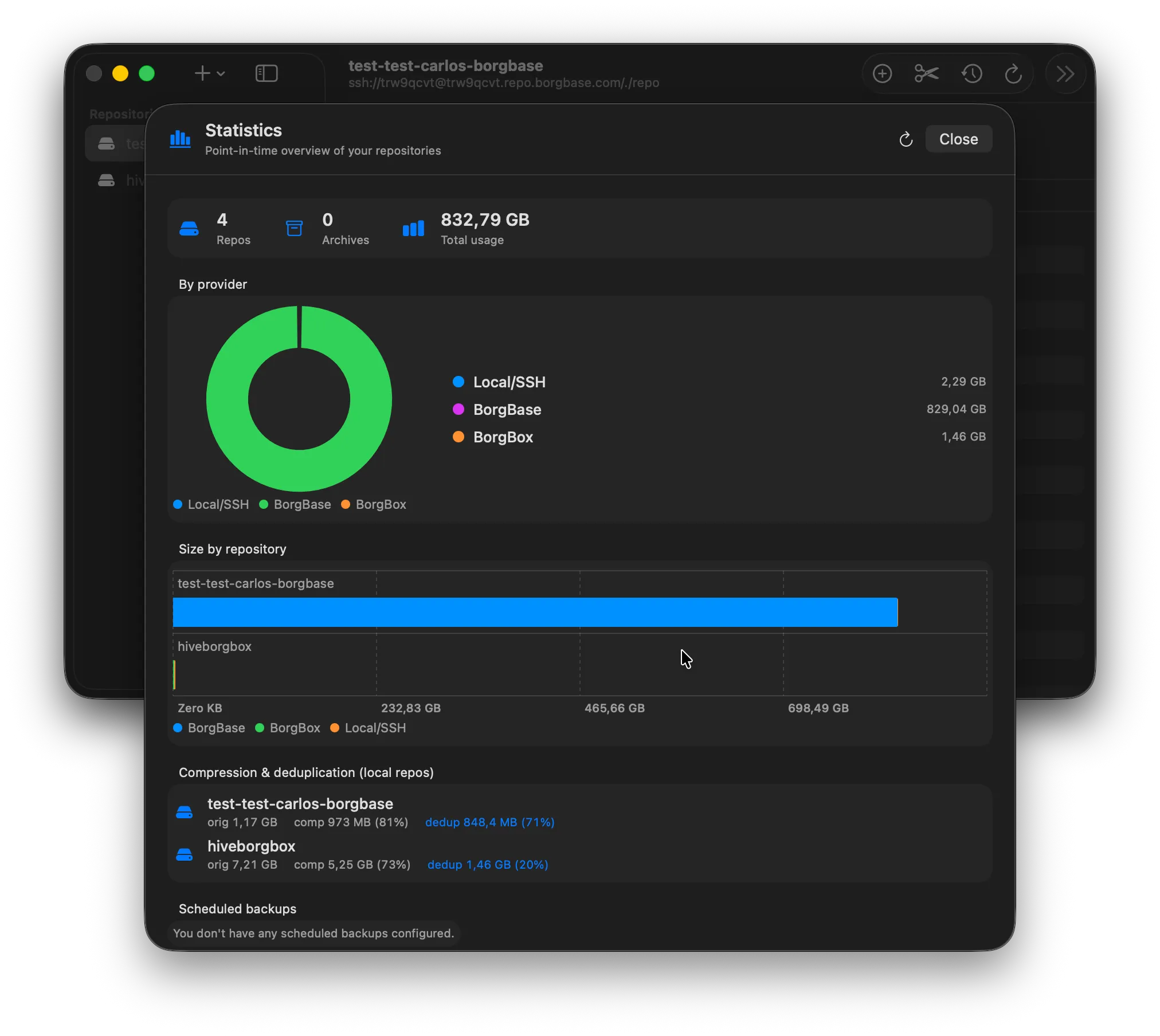
Cross-backend stats
Every repo, on one screen.
Point-in-time overview of every repository across Local, SSH, BorgBase and borgbox. Original size, compressed size, dedup ratio, schedule health — all in one place.
01 06
A native macOS client for Borg backup. Browse archives, run maintenance, track stats across every backend you use — Local, SSH, BorgBase, or self-hosted borgbox.
Apple Silicon · 1.3 MB
The walkthrough
Scroll through the surfaces that turn borg from a CLI you tolerate into a Mac app you actually open.
Cross-backend stats
Point-in-time overview of every repository across Local, SSH, BorgBase and borgbox. Original size, compressed size, dedup ratio, schedule health — all in one place.
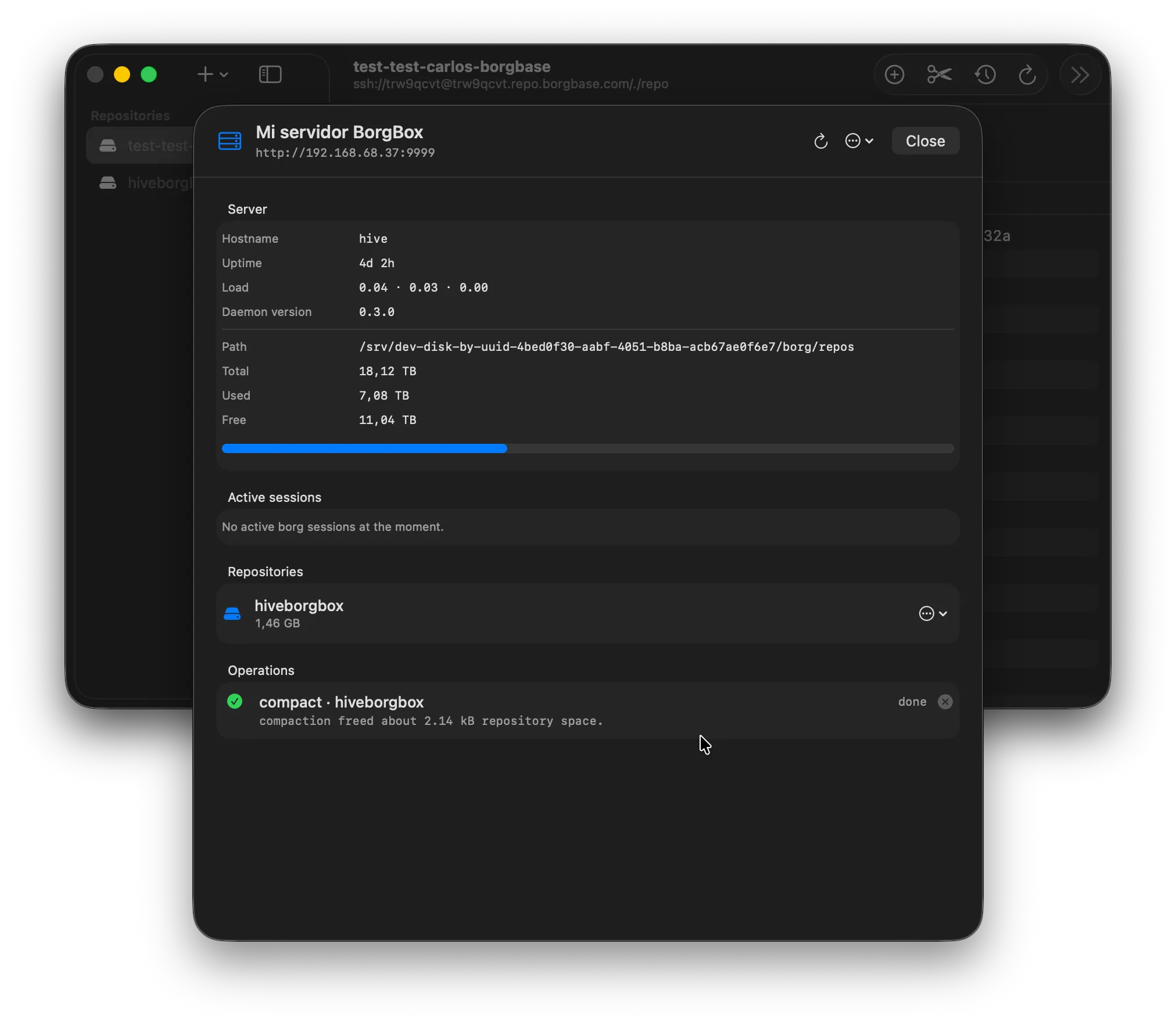
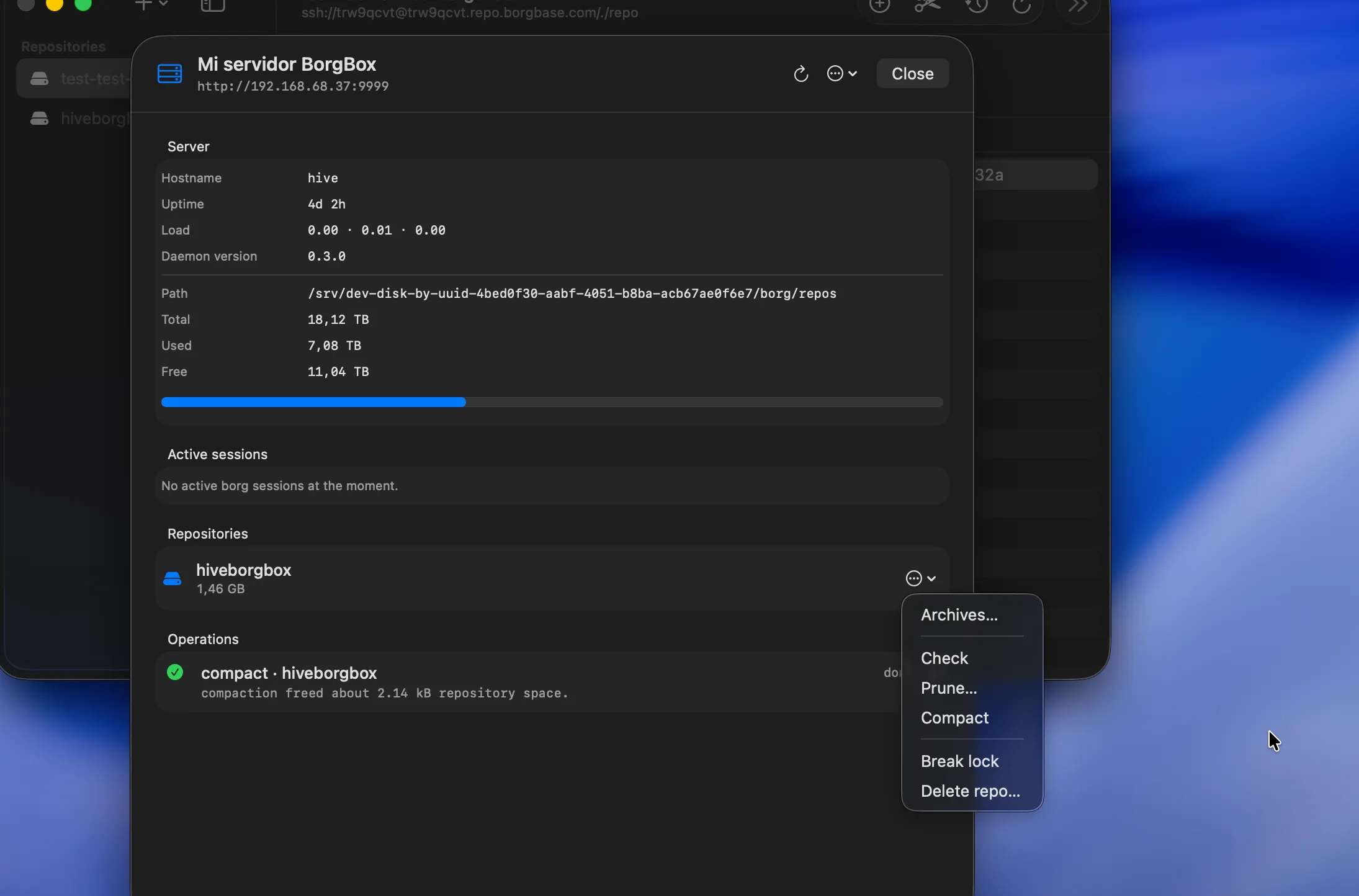
Server detail
For borgbox backends: hostname, uptime, load, storage headroom, active sessions and live maintenance jobs streaming from the daemon. Like a tiny ops console for your backups.
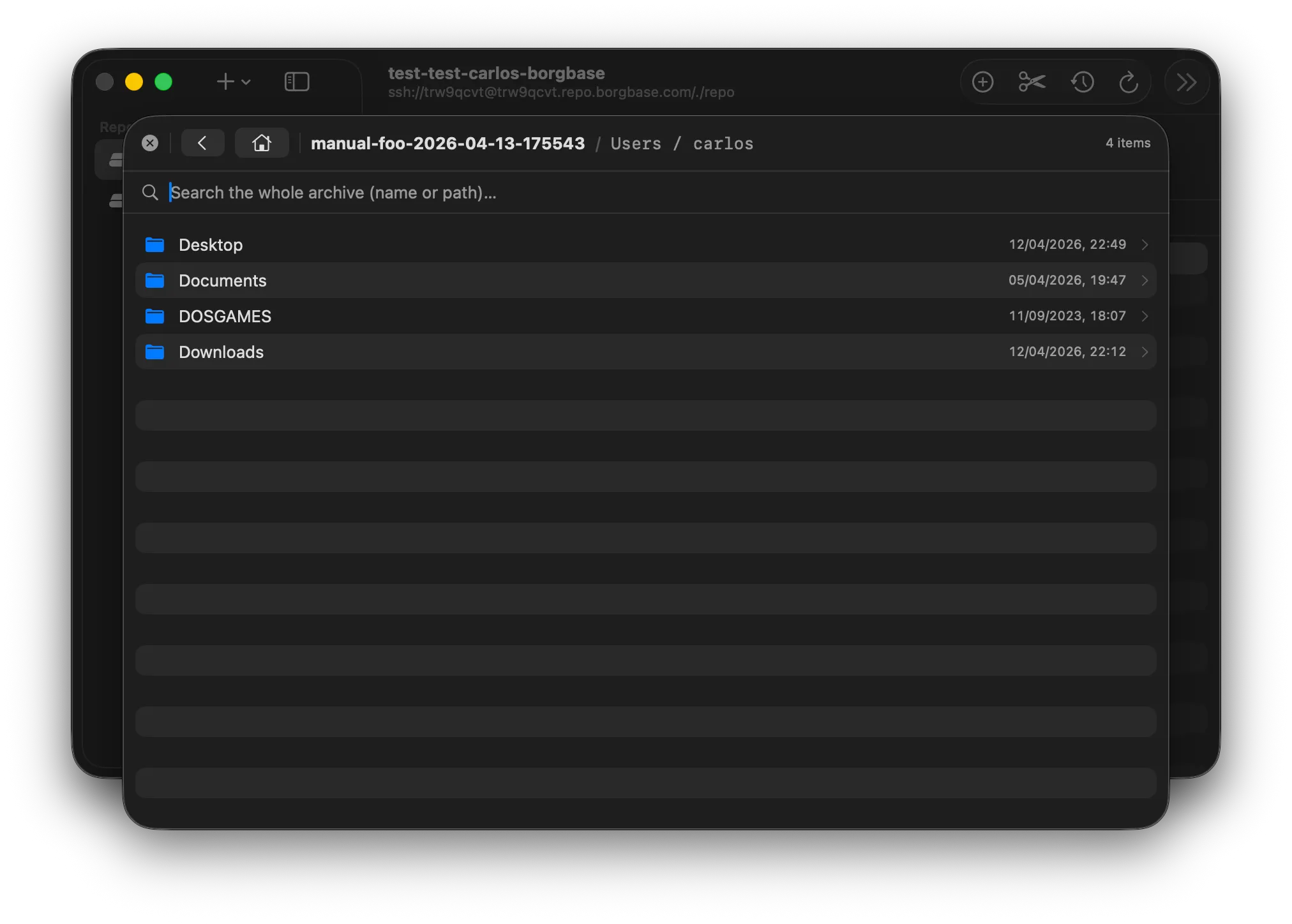
Archive browser
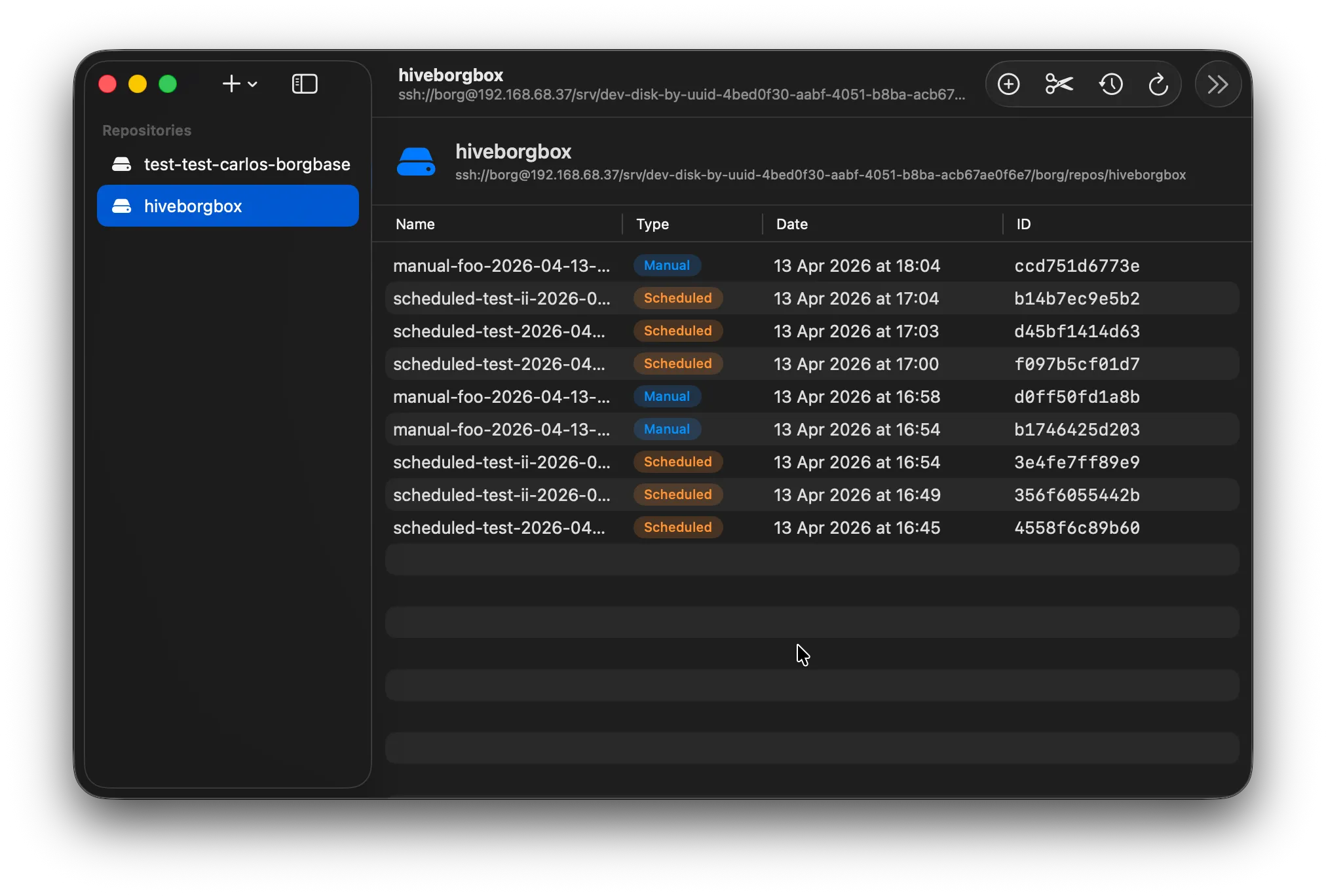
Finder-style tree for any archive on any backend. Restore individual files, analyse space, or mount the whole archive read-only over FUSE — without leaving the window.
Maintenance
Run every borg maintenance command without opening a terminal. Live log streaming, exit codes, status badges. The terminal is still there if you want it — but you almost never need it.
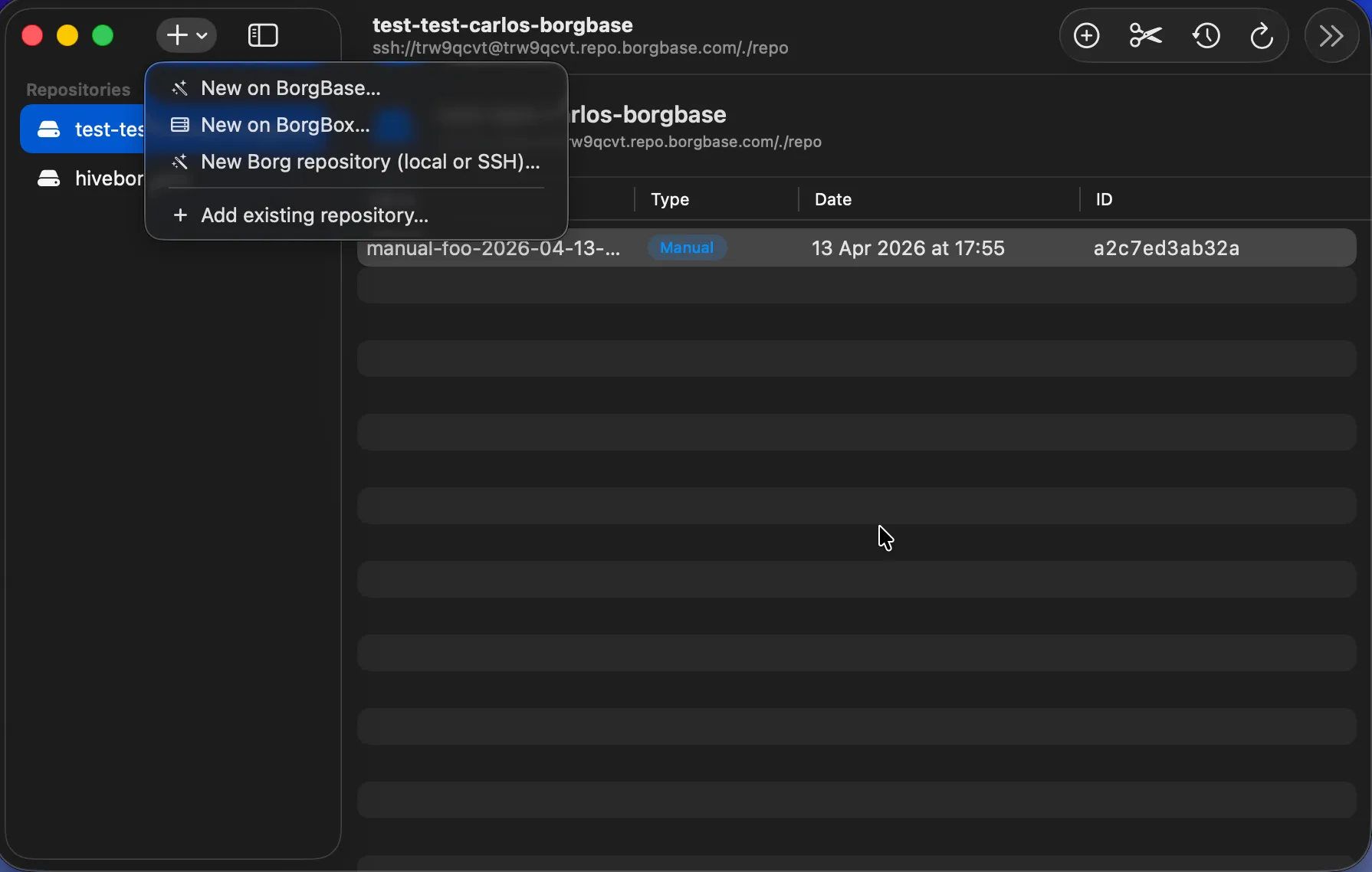
New repo
Create a repository locally, on SSH, on BorgBase, or on a borgbox-managed server. Or import an existing one with a single click. Same form, same fields, same Mac feel.
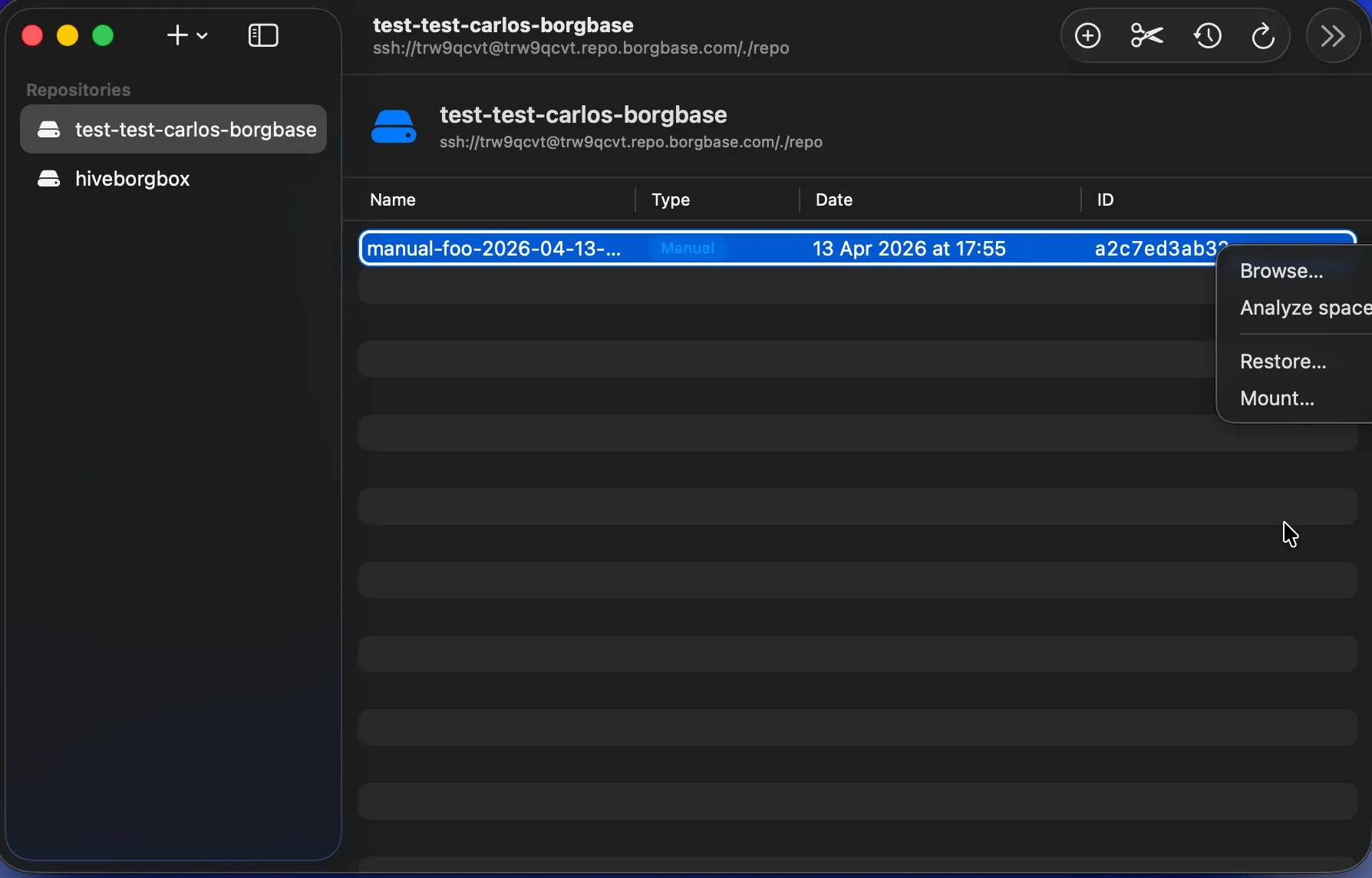
Right-click anything
Right-click any archive to browse, analyse space, restore or mount. Right-click any repo to check, prune, compact or break-lock. Every action is one gesture away.
Under the hood
borgmac doesn't reimplement anything. Every action you take in the UI fires the exact borg command you'd run by hand — with the exact same output, exit codes, and guarantees. We just made it nicer to watch.
What's inside
Everything the borg CLI does, plus the things it doesn't: a proper archive browser, live job logs, cross-backend stats, and a sidebar that remembers where your data lives.
Built entirely in SwiftUI for macOS 14+. Apple Silicon native, Developer ID signed, notarized and stapled. Feels like a Mac app because it is one.
Local folders, SSH, BorgBase SaaS, or self-hosted borgbox. One sidebar, one archive browser, one consistent UI.
Walk inside any archive with a Finder-like view. Restore files, analyse what takes space, or mount the archive read-only over FUSE.
Run check, prune and compact jobs from the UI, follow the live log, and track exit codes. No SSH, no tmux, no babysitting.
A dashboard summarising every repository: original vs deduplicated size, compression ratio, provider breakdown, and schedule health.
Self-hosting? borgbox pairs borgmac with a tiny HTTP daemon so you can create, import and monitor server-side repos from inside the app.
Optional add-on
borgbox is a tiny Go HTTP daemon that runs on any Linux box next to your borg repositories. Pair it with borgmac and you get a two-way, GUI-driven workflow: create repos remotely, stream maintenance job logs in real time, import existing directories with a click.
Totally optional. borgmac works just fine without it — borgbox is there for the people who want a real admin panel instead of SSH.
# one-shot install on any Linux box
$ curl -fsSL https://github.com/prietus/borgbox/\
    releases/latest/download/install.sh | sudo bash

# borgmac sees it over HTTP; no ssh copy-pasting
$ curl -H "Authorization: Bearer $TOKEN" \
    http://hive:9999/api/v1/repos
[
  {
    "name": "mac",
    "ssh_url": "ssh://borg@hive/srv/borg/repos/mac",
    "registered": true,
    "initialized": true
  }
]
Ready to go
Apple Silicon build. Signed with Developer ID, notarized and stapled. Drag into Applications and you're done.